Meeting Overload Explained
On average, employees spend 23 hours weekly in meetings, according to a 2023 Microsoft Work Trend study. Meeting bloat fills calendars with overlapping or irrelevant engagements that erode focus and delay deep work. Imagine an engineer who navigates 12+ meetings weekly; only a handful directly impact their tasks. The rest? Interruptions with unclear goals. This overload rarely yields better outcomes but creates a sensation of being busy.
Not every invite requires attendance. For example, a marketing team regularly includes stakeholders who sit through status updates without contributing. In these cases, the quality of work suffers and calendar space shrinks. Meetings replaced by concise emails or asynchronous updates save hours and mental energy.
Why Meeting Bloat Happens
People confuse presence with participation and action. The habit of saying yes to all invites stems from fear of missing out or appearing uncooperative. Leaders may default to broad inclusions “just in case” insights emerge. The result: wasted effort, unwanted pressure, and stifled productivity. It’s a poor return when 67% of employees admit to feeling less productive after excessive meetings.
Missed focus multiplies errors and deadlines creep. You can lose hours daily — and the inbox wins. Consider a product manager invited to three overlapping status meetings each week. This redundancy leads to frustration and burnout. The calendar turns into a battlefield instead of a planner. Being overly available dilutes impact.
Ways to Cut Meetings
Set clear attendance rules
Define who truly needs to attend. Use criteria such as decision-making capacity or direct project involvement. The technique avoids wasting time of observers who could get a summary. For instance, Spotify's engineering team reduces meeting sizes by mandating only essential contributors, cutting meeting hours by 32%.
Send polite declines
Saying no politely but firmly saves hours. A reply like, “I won’t attend as this falls outside my scope, but I’m happy to review outcomes,” signals professionalism. Use calendar tools with decline notes that state your reason—this maintains respect and transparency.
Offer alternatives
Suggest asynchronous updates via Slack or email for informational meetings. Tools like Loom videos or Google Docs can share status without gathering people synchronously. Teams adopting this cut meeting time by 40%, reports Atlassian.
Block focused work time
Reserve chunks of 1–2 hours daily as meeting-free on your calendar. Microsoft Outlook's ""Focus Time"" feature nudges colleagues not to schedule during these blocks. The commitment presses others to think twice before inviting you unnecessarily.
Request detailed agendas
Insist meetings come with a clear agenda and expected outcomes upfront. If unclear, postpone or decline. Standups without agendas quickly become chatter, wasting fifteen minutes daily that multiply across teams.
Delegate attending
If present, you must add value—not just attend. Delegate meeting participation to trusted team members if appropriate. They report back with minutes or decisions afterward. This offloads calendar bulk and fosters team growth.
Use meeting time wisely
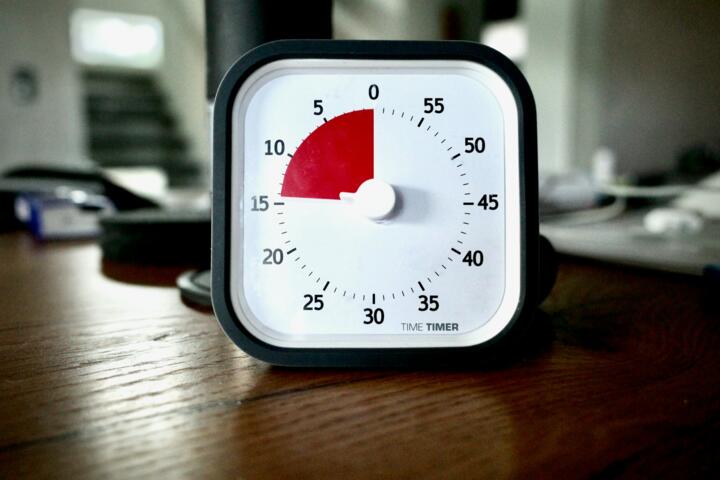
Start on time, end early, and keep discussions tight. Use timers or apps like Timer for Google Meet (version 4.3) to enforce limits. This practice trims 15% to 25% off average meeting durations in some companies.
Review calendar weekly
Regularly audit upcoming meetings for value. Cancel or reschedule irrelevant or repetitive ones. Keep a personal log to track time spent versus output to build awareness. Tracking tools like Clockify help visualize time leaks.
Train teams on meeting etiquette
Workshop meeting manners: clear objectives, participation discipline, and strict timing. Companies like Zapier report improved engagement and reduced scheduling conflicts post-training.
Real Cases in Focus
At a mid-sized SaaS firm, the engineering department faced 18 weekly meetings per engineer, many redundant. By applying strict attendance rules and investing in asynchronous reporting tools, meeting hours dropped 42% in three months. Retrospectives improved quality, and engineers reclaimed 8 hours weekly for deep work.
A digital marketing agency struggled with client calls clogging calendars, leading to missed deadlines. Introducing automated status updates via shared dashboards and polite declinations for non-critical calls reduced meetings by half and raised project completion rates by 25% in six weeks.
Checklist to Trim Meetings
| Step | Action | Benefits | Tools |
|---|---|---|---|
| 1 | Assess necessity before accept | Reduces unwanted bookings | Calendar invites, reminders |
| 2 | Request agendas upfront | Improves meeting focus | Email templates, Slack |
| 3 | Politely decline unnecessary invites | Protects deep work time | Calendar decline reasons |
| 4 | Propose async updates | Saves hours weekly | Loom, Google Docs |
| 5 | Block focus time daily | Builds uninterrupted work blocks | Outlook, Google Calendar |
| 6 | Delegate attendance | Distributes workload | Team agreements, task tools |
| 7 | Regularly review calendar | Eliminates duplication | Clockify, RescueTime |
Common Errors and Fixes
Accepting all meetings out of politeness often backfires. Instead, explain clearly why your presence isn’t necessary. Relying on habit to attend routine check-ins without questioning relevance eats hours; challenge invitations with specific questions about your role.
Failing to set boundaries leads to calendar collapsing under pressure. Treat calendar like a scarce resource, and guard it. Not using scheduling tools to mark focus time invites conflict inconsistencies. Lastly, skipping post-meeting reviews misses chances to improve future efficiency.
FAQ
How can I say no without offending?
Be direct but respectful. Use a polite message explaining your workload and offering to catch up via summary or email.
Which meetings should I always attend?
Meetings where you are a decision-maker or where your input directly affects outcomes demand your presence.
Are asynchronous updates effective?
Yes, provided they are concise and timely. Many teams cut 50% meeting time this way.
How to convince a manager to reduce meetings?
Present data on lost focus time and offer solutions like agenda-only or shortened sessions to show benefits.
What’s a good daily meeting limit?
Limit to 3–4 meetings a day ideally under 30 minutes each to maintain energy and focus.
Author's Insight
I’ve spent years juggling overloaded calendars in tech startups; the noise was exhausting. Learning to say no and splitting work into focused chunks transformed my output. Tools like Google Calendar’s ‘Focus Time’ and concise email updates became allies. Saying no isn’t rejection—it’s protection. The hardest part is the first decline; after, the calm spreads.
What to Remember
Meeting bloat drains time and creativity. Identify when attendance adds no value and decline firmly yet politely. Replace some live sessions with asynchronous updates. Use calendar tools to protect blocks for focused work. Regularly evaluate your meeting load and demand clear agendas. These steps save hours weekly, helping reclaim control of your workday, reduce stress, and improve impact.