Networked Thought, Plainly
Networked thought is a note-taking approach where ideas connect through links, tags, and structured fields rather than living in a single folder tree. The goal is retrieval by relationships: you search for a concept, then follow the web of related notes to reconstruct context. Tana and Roam Research both support this style, but they do it with different underlying models and interaction patterns.
In practice, networked thought looks like writing a short note about a claim, then linking it to the source note, the related question, and the decision you made later. If you revisit the claim months later, the links bring you back to the reasoning trail. A small example: you capture “HbA1c trends after medication change” as a note, link it to “dose adjustment rationale,” and connect it to “lab reference ranges.” When you later review “dose adjustment rationale,” the system surfaces the HbA1c note through the graph.
Both tools also support daily capture, but the friction differs. Roam’s interface emphasizes bidirectional linking and graph navigation, while Tana’s interface leans more toward structured objects and database-like views. That difference matters when your notes grow beyond a few hundred pages and you start needing consistent fields, repeatable templates, or query-like filtering.
Common Pain Points
People often expect networked note tools to behave like search engines that “just find the right thing.” That expectation breaks when notes lack consistent naming, when links are missing, or when the system stores ideas without enough context to stand alone. A note that says “diet improved symptoms” without a timeframe, medication status, and measurement method becomes hard to trust later, even if it is linked.
Another frequent problem is mixing two different goals: capturing raw thoughts and building a retrievable knowledge base. Raw capture benefits from speed, while knowledge base building benefits from structure and review. If you link everything immediately, you can end up with a dense graph that is technically connected but cognitively noisy. If you delay linking until later, you risk losing the “why” behind the note, because the memory of the moment fades.
Dependencies also shape outcomes. Both tools rely on your linking habits, your browser or desktop environment, and the way you export or back up your data. Roam Research has historically offered export options, but the exact formats and completeness can change across versions. Tana’s data model and export behavior also depend on how you set up your workspace and whether you use its structured features. If you treat the tool as the only copy of your work, you inherit the tool’s upgrade cycles, sync behavior, and any platform limitations.
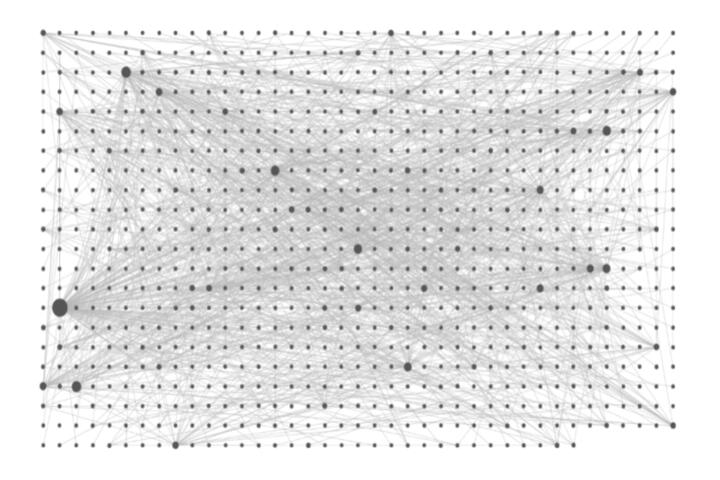
Finally, there is the “graph illusion.” A graph can look impressive while still failing at retrieval because the links do not encode the questions you actually ask. You save time, reduce noise, and the inbox stops winning—until you realize your system never learned the difference between “evidence,” “hypothesis,” and “action taken.”
How To Set Up A Workflow
Start With A Note Contract
Define a short “contract” for each note type so you can evaluate trust later. For example: a clinical or health-related claim note should include a timeframe, the population context (general, personal, or study-level), and a link to the source note or reference. A decision note should include what changed, why it changed, and what outcome you monitored. This turns linking into a method rather than decoration.
Use a consistent naming pattern for key entities. A simple rule like “Topic — Outcome — Date” helps when you later scan exports or search across plain text. In Roam, you can rely on page titles and linked references; in Tana, you can also use fields and views to keep names consistent. I’ve seen systems collapse when titles become free-form and later queries return dozens of near-duplicates, which, frankly, most people skip fixing.
Use Structure Where It Pays
Roam’s strength is fast linking and graph navigation, which suits questions, reading notes, and “follow the thread” research. Tana’s strength often shows up when you want structured fields, repeatable templates, and filtered views that behave like a lightweight database. A practical approach is to keep capture notes flexible, then convert only the notes you need to revisit into structured records.
For example, create a “review queue” view that lists notes with a “next review date” field. Set a weekly review cadence and keep the queue small enough to finish. If you add 200 notes per week, no tool will save you from review debt. A realistic target for a solo workflow is 20–60 new notes per week, with 10–20 minutes of review per day or a 60–90 minute block once a week.
Link For Retrieval, Not Drama
Link notes to the questions you will ask later. If you want to answer “What did I change and what happened?” then link decision notes to outcome notes and to the “monitoring” note that lists what you measured. If you want to answer “What evidence supports this claim?” then link claim notes to source notes and to a “confidence” note that records why you trust or doubt the claim.
Keep link types explicit in your own conventions. Roam supports bidirectional links, but it does not automatically label link semantics; Tana can support structured relationships through its object model and views. Either way, you need a convention such as: “supports,” “contradicts,” “depends on,” or “leads to.” Without that, the graph becomes a tangle where every node is “related” to everything.
As a small aside, I once tested a workflow in Roam around version behavior during a migration window and found that some users relied on daily page templates that later changed. That experience made me cautious about building a system that depends on a single UI feature without a backup plan.
Back Up And Export Early
Networked thought systems are only as safe as their data portability. Export your notes periodically and store them in a location you control. Check what the export includes: page titles, link structure, and any custom fields. If a tool exports links as plain text references rather than a machine-readable graph, you may lose some structure when you move.
Set a test migration before you commit. Create a small sandbox workspace, add a few linked notes, export, and verify that you can reconstruct the relationships. Do this once, then repeat after major updates. Tana and Roam both evolve, and export behavior can change; you want evidence from your own data, not assumptions.
Case Examples With Real Constraints
Scenario A: Reading-to-Action for Health Questions
A reader tracks new health information for personal use. They create three note types: “Question,” “Evidence,” and “Action.” Each Evidence note links to the Question and includes a short “what this supports” sentence. Each Action note links to the Evidence notes that motivated it and includes a “what I monitored” line. After two months, they review the Action notes and follow links back to Evidence notes. The system helps them see which actions were based on strong evidence versus vague claims, because the note contract forces that separation.
Scenario B: Medication Change Review
A reader records a medication change and wants to review outcomes later. They create a “Change Log” note with date, medication name, dose, and reason. They link it to “Lab Results” notes that include the measurement method and reference ranges. When they later search for “dose adjustment rationale,” the linked Change Log and Lab Results appear together. The limitation shows up when the reader forgets to add reference ranges; the links still connect notes, but the missing context reduces trust.
Comparison Checklist For Selection
| Decision Factor | Tana Fit | Roam Fit | What To Test In 60 Minutes |
|---|---|---|---|
| Structured fields | Often stronger when you want repeatable templates and views | Works via page properties and conventions, but less database-like | Create 3 note types and add one field each; filter to a “review queue” |
| Linking speed | Fast capture with structured objects, depending on setup | Bidirectional linking feels immediate for many users | Write 10 short notes and link them to one “Question” page |
| Retrieval by views | Views can support query-like workflows | Graph navigation supports “follow the links” retrieval | Find “all actions based on Evidence type X” using your own conventions |
| Portability | Export behavior depends on how you store fields and links | Export behavior depends on page/link representation | Export your sandbox and verify you can reconstruct relationships |
Use this step-by-step checklist to reduce decision fatigue. Step 1: pick one health-related workflow you already do, such as “track labs after a change.” Step 2: define three note types and one review question. Step 3: build a tiny dataset of 20 notes with links and fields. Step 4: run the review question and measure how long it takes to find the relevant notes. Step 5: export and confirm you can read the data outside the tool.
Common Mistakes That Break Trust
One mistake is writing health notes as if they will never be audited. A note that lacks timeframe, dosage, or measurement method forces you to guess later. Even if the links are perfect, missing context makes the note less reliable.
Another mistake is relying on link density as a proxy for quality. A graph with thousands of links can still fail because the system never captured the reasoning chain. When you review, you want to see “what changed” and “what outcome followed,” not just “what is connected.”
People also overfit to a single UI feature. If you build your system around one template button or one view layout, you may struggle when the tool updates. I’ve watched teams lose time because they assumed a template would remain identical across versions, and then a migration required manual cleanup.
Finally, avoid mixing personal notes with research notes without a boundary. If you link a personal symptom note directly to a study summary note, you can accidentally treat personal observations as evidence. A simple convention such as “Observation” versus “Evidence” notes reduces that risk.
FAQ
Do Tana And Roam Both Support Linking?
Both support linking between notes, but Roam’s interface centers bidirectional linking and graph navigation, while Tana often pairs linking with structured objects and views. The practical difference shows up when you need repeatable fields and filtered lists.
Which Tool Works Better For Health Research Notes?
Roam often fits readers who want fast linking and “follow the thread” reading notes. Tana often fits readers who want structured fields for evidence grading, dates, and review queues. Either tool works if you enforce a note contract and review cadence.
Can I Export My Notes And Keep Links?
Both tools offer export options, but the exact preservation of link structure and custom fields depends on the export format and the way you stored your data. Test export with a small sandbox before committing to a workflow.
How Many Notes Per Week Is Sustainable?
A sustainable number depends on your review time, not the tool. For many solo users, 20–60 new notes per week with a small review queue is more realistic than hundreds of notes without follow-up.
What Should I Track To Make Notes Trustworthy?
Track timeframe, context, and measurement method for outcomes, plus source context for claims. Separate “Observation” from “Evidence,” and record what changed and what you monitored so later review does not require guessing.
Author's Insight
Networked thought succeeds when the note system encodes retrieval questions, not when it accumulates links. Tana and Roam both support graph-style thinking, but their strengths map to different workflows: Roam emphasizes linking and navigation, while Tana tends to reward structured fields and view-based review.
Evidence-based note-taking still depends on human discipline: a note contract, consistent naming, and periodic review. Tools can reduce friction, but they cannot supply missing context such as dates, dosages, or measurement methods.
If you want a practical decision, build a 20-note sandbox that mirrors your real health workflow, run one review question, and test export. The result usually becomes obvious after you measure retrieval time and verify portability.
Key Takeaways
- Networked thought works when links answer retrieval questions, not when links just multiply.
- Use a note contract for health-related claims, observations, and decisions so later review stays trustworthy.
- Choose Tana for structured fields and view-based review, and choose Roam for fast bidirectional linking and graph navigation.
- Test with a small sandbox, then export and verify you can reconstruct relationships outside the tool.