Systems vs. Results
Over-engineering happens when the complexity of your productivity system exceeds the complexity of the tasks it manages. It is the digital equivalent of building a 12-lane highway to serve a small village. I once worked with a creative director who spent four hours every Sunday "skinning" her Notion dashboard and color-coding tags, yet her actual project delivery rate remained stagnant for six months.
Research suggests that the "Paradox of Choice" significantly hampers efficiency. According to a study by Qatalog and Cornell University, it takes people an average of nine minutes to get back into a productive flow after switching between apps. If your workflow requires jumping between five different tools to log one task, you are effectively burning an hour of cognitive energy every day on maintenance alone.
Productivity Pitfalls
The primary mistake professionals make is "Procrastivity"—the act of doing low-value organizational work to avoid high-stakes deep work. This manifests as spending days researching the "perfect" task manager instead of actually finishing a proposal. It creates a false sense of accomplishment while the backlog grows.
Another major pain point is the fragmentation of data. When you have notes in Evernote, tasks in Todoist, and a calendar in Outlook, the "mental tax" of remembering where information lives drains your willpower. Without a centralized "source of truth," you risk missing deadlines or duplicating efforts, which costs US businesses an estimated $450 billion annually in lost productivity.
The consequence of an over-engineered system is inevitable burnout. When the system feels like a chore, you eventually stop using it. This "system collapse" leaves you worse off than when you started, as you no longer trust your tools and have to rebuild your habits from scratch amidst the clutter of abandoned templates.
Lean Workflow Tactics
The Rule of Two Tools
To maximize output, limit your primary stack to one "Thinking" tool and one "Doing" tool. For example, use Obsidian for long-form thought and Jira for execution. Limiting choices reduces decision fatigue. A streamlined stack allows for "Deep Work," a concept popularized by Cal Newport, where 90 minutes of undistracted focus produces more value than eight hours of fragmented multi-tasking.
Automating the Boring
Instead of manual data entry, use Zapier or Make to bridge your apps. If a lead fills out a Typeform, it should automatically appear in your HubSpot CRM and trigger a Slack notification. Automation should save at least 30 minutes of manual labor per week to justify its setup time. If the automation takes five hours to build but only saves two minutes a month, skip it.
Time Blocking 2.0
Ditch the granular 15-minute intervals. Instead, use "The Rule of 3": identify three non-negotiable wins for the day. Use Google Calendar to block out large chunks (3-4 hours) for these tasks. This provides enough "runway" for the brain to reach a flow state. Companies like Shopify have successfully implemented "No Meeting Wednesdays" to protect this type of focused time.
The Inbox Zero Myth
Stop treating your email inbox as a task list. Use the "Two-Minute Rule" from David Allen’s Getting Things Done (GTD): if it takes less than two minutes, do it now; otherwise, move it to a dedicated task manager like Microsoft To Do. This prevents your primary communication channel from becoming a source of anxiety and constant distraction.
Weekly Review Sprint
Dedicate 20 minutes on Friday afternoon to a system audit. Ask: "Which part of my workflow felt heavy this week?" If a specific tag or folder wasn't used, delete it. This prevents "feature creep" in your personal system. Simplicity is not a one-time event; it is a continuous process of aggressive pruning to keep the focus on ROI-driven activities.
Analog Buffer Zones
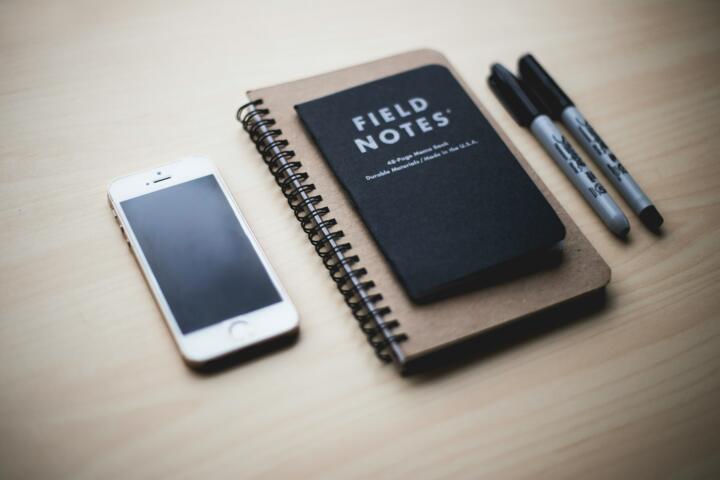
Sometimes the best digital tool is a physical notebook. Using a Field Notes book for rapid logging during meetings prevents the temptation to check notifications on a screen. Research shows that handwriting notes improves information retention by 25% compared to typing, as the slower pace forces the brain to summarize rather than transcribe.
Efficiency Case Studies
A boutique marketing agency was using a combination of Trello, Slack, Google Drive, and Monday.com. Their project managers were spending 15 hours a week just syncing data between platforms. After a "Productivity Audit," they migrated everything to Asana and integrated it with Slack. By eliminating three redundant tools, they reduced "sync time" to 3 hours a week, resulting in a 30% increase in client capacity within one quarter.
A freelance software developer suffered from "plugin overload" in his IDE and note-taking apps, spending nearly 10% of his billable hours troubleshooting his own tools. He switched to a "Vanilla" setup—standard VS Code and simple Markdown files. This change eliminated technical friction and allowed him to increase his hourly output, leading to an additional $12,000 in revenue over six months due to faster project turnarounds.
Tool Stack Comparison
| System Type | Best For | Recommended Tools | Setup Complexity |
|---|---|---|---|
| Minimalist | Solo Entrepreneurs | Things 3, Apple Notes | Low |
| Collaborative | Agencies / Teams | ClickUp, Slack | High |
| Knowledge Base | Researchers / Writers | Logseq, Readwise | Medium |
| All-in-One | Generalists | Notion, Coda | High |
Common Setup Errors
The most frequent error is "Template Obsession." Users download complex Notion templates built by influencers that don't fit their specific cognitive style. This leads to a mismatch between how you think and how you track. To avoid this, start with a blank page and only add features when the lack of them causes a tangible problem.
Another mistake is over-categorization. Creating 50 folders for different projects makes retrieval a nightmare. Use the "Search, Don't Sort" philosophy. Modern tools like Raycast or Alfred for Mac allow you to find files instantly via metadata. Relying on powerful search functionality is 4x faster than clicking through a nested folder hierarchy.
FAQ
How do I know if my system is over-engineered?
If you spend more than 15% of your work hours organizing your tasks rather than performing them, your system is too complex. You should feel supported by your tools, not burdened by them.
Is Notion bad for productivity?
Notion is a powerful tool, but its infinite flexibility is a double-edged sword. It becomes a distraction when you focus on aesthetics over utility. Keep your Notion pages functional and avoid "widget" bloat.
Should I use a paper planner?
Paper is excellent for daily focus and reducing screen fatigue. However, it lacks searchability and backup. A hybrid approach—digital for long-term storage and paper for daily execution—is often the most effective.
How often should I change my tools?
Rarely. Switching tools frequently causes "Migration Fatigue." Stick with a tool for at least 90 days before deciding it doesn't work. The problem is usually your process, not the software.
What is the most important productivity metric?
Completed high-value tasks. Ignore "vanity metrics" like the number of tasks checked off or hours logged. Focus on the output that directly contributes to your professional or financial goals.
Author’s Insight
In my decade of consulting for high-growth startups, I have seen CEOs run billion-dollar companies using nothing but a basic calendar and a text file. My own breakthrough came when I deleted 80% of my tags and moved to a "Flat System." If I can't find a file in three seconds using a global search, the system is broken. My advice: treat your productivity system like a backpack, not a warehouse; if it's too heavy to carry, you won't go far.
Summary
True productivity is about the work, not the workflow. To avoid over-engineering, apply the principle of Occam’s Razor: the simplest solution is usually the best. Audit your tools today, delete one redundant app, and reclaim your cognitive bandwidth for the tasks that actually move the needle. Start small, stay lean, and prioritize output over organization.